


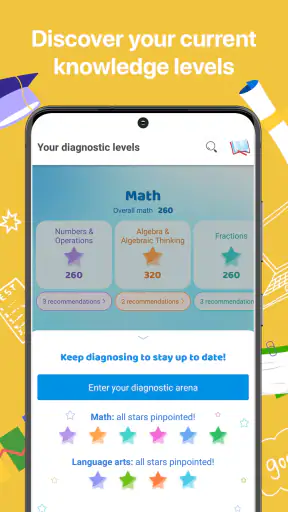
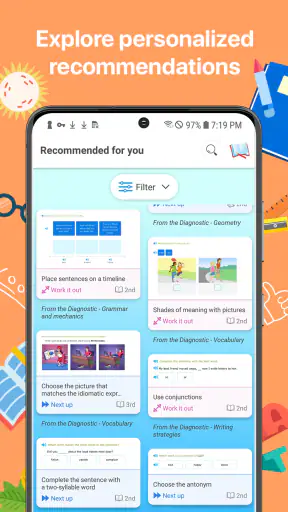
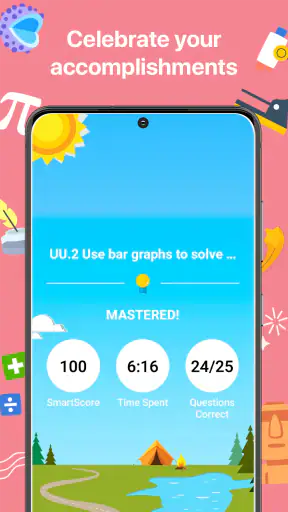
I approached IXL as a study tool rather than something a child opens for casual entertainment. Developed by IXL Learning, this free Education app is built around personalized practice for learners from kindergarten through grade twelve. That broad range is its biggest attraction: one household can use the same app for an early math learner, a middle-school student working on language, and an older student reviewing a difficult topic.
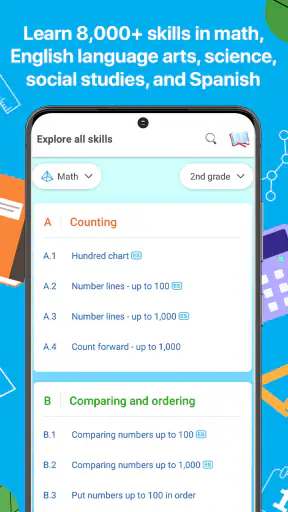
My first impression is that IXL is most useful when it becomes part of a routine. It is not simply a digital worksheet collection. The experience is organized around individual skills, so the learner can move from a familiar exercise to a more demanding one instead of being pushed through a fixed lesson at the same pace as everyone else. That makes it easier to target a weak area, although it also means the app works best when a parent, teacher, or student has a clear reason for choosing what to practice.
On the store, it is listed as free and suitable for Everyone. Its average rating is 4.0 from around 45 thousand ratings, with about 8.8 thousand written reviews, and it has passed 5 million installs. Those figures suggest a well-known learning app with a substantial user base, but they do not remove the need to decide whether its practice style suits the learner. In my view, IXL is strongest for regular, focused work and less convincing for someone who wants a relaxed, explanation-first learning experience.
How IXL feels during ordinary study sessions
Speed expectations: quick starts, deliberate practice
The most important performance question here is not whether the app behaves like a fast game. It is whether a learner can get from opening the app to useful practice without unnecessary friction. In that respect, the focused structure helps. A student who already knows the subject and skill can begin answering fairly quickly, while someone who needs guidance may spend more time choosing the right area.
That distinction matters. IXL is designed around practice, so the app’s perceived speed depends heavily on the user’s decisions. A confident student can select a skill and work steadily. A younger child may need an adult to help identify the appropriate level, especially when several related skills look similar. The interface can feel efficient after the routine is understood, but it is not a substitute for a teacher explaining why a particular topic should come next.
I would not judge it by the standards of a streaming app or a simple calculator. The useful kind of speed is the quick return from one question to the next and the ability to keep attention on the subject. Short practice cycles make it practical for a brief study window, such as the time before school or the final part of an evening homework session. The trade-off is that rapid answering can encourage a learner to chase completion instead of thinking carefully.
My advice is to treat the first few sessions as setup time. Let the learner explore the subject areas, then choose a small target rather than opening the app with the vague instruction to “do IXL.” A specific goal makes the experience feel faster because less time is spent browsing and more time is spent on the intended skill.
What happens during heavy-use moments
A heavier session usually means more than one child using the app, a student moving between several subjects, or a learner staying with one skill long enough to make repeated attempts. These are the moments when an educational app proves whether it can support real household routines rather than just a quick demonstration.
IXL’s broad K–12 scope is helpful here. A family does not need separate learning apps for every age group, and an older student can use it for a different subject from a younger sibling. That convenience is a genuine strength. It also creates a management challenge: the app can feel crowded if everyone approaches it without a plan. I found that assigning each session a subject and a modest objective is more effective than allowing unlimited, unfocused practice.
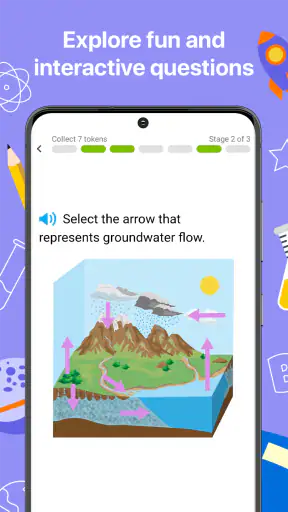
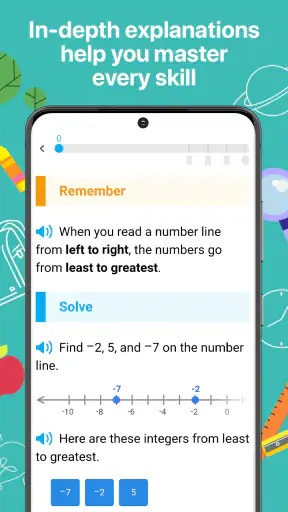
Extended use can expose an educational weakness even when the app remains responsive. Repetition is valuable for building fluency, but it can become tiring if a learner is already frustrated or does not understand the underlying concept. When answers keep going wrong, the best next step may be a teacher, textbook, video lesson, or worked example rather than more attempts. IXL can reveal where the problem is; it should not always be expected to provide the complete explanation.
For parents, a useful workflow is to look for patterns rather than judging a child by one session. If a learner misses similar question types repeatedly, pause the practice and discuss the method. If the learner succeeds easily, move to a more suitable skill instead of treating a long streak of easy answers as meaningful progress. This is one of the less obvious trade-offs of personalized practice: it can be precise, but only when someone pays attention to what the answers mean.
Reliability and recovering from interruptions
Reliability matters more in education than in many other app categories because a broken session can interrupt concentration. IXL’s value depends on returning to the same learning routine repeatedly, so I would use it with the expectation that consistency is more important than one impressive study period.
When an interruption happens, the sensible recovery approach is to reopen the app, return to the learner’s selected area, and continue with a smaller objective if concentration has been lost. I would not encourage a child to rush through questions simply to recreate a previous rhythm. The educational benefit comes from accurate thinking, not from preserving a streak at any cost.
There is also a practical difference between technical recovery and learning recovery. If a session closes, the technical problem may be solved simply by starting again. If the child has forgotten the method or become discouraged, restarting the same exercise may not help. In that situation, I would make a note of the troublesome skill and explain it away from the app before trying again. This keeps the tool in its proper role as guided practice.
The app’s long presence in the Education category and its large install base make it feel like an established choice rather than an experimental one. Still, popularity is not the same as a guarantee that every session will suit every device or learner. Families should keep a backup plan for homework, particularly when the work is urgent and depends on uninterrupted access.
Device constraints and the home setup
Because IXL covers such a wide age range, the device experience can vary greatly from one learner to another. A small phone may be convenient for a quick review, but it is not necessarily the most comfortable option for a young child completing a longer practice session. A larger screen can make reading, selecting answers, and checking work less tiring.
I would also consider who is sharing the device. If a parent uses the same phone for messages and a child uses it for study, interruptions are more likely, even when the app itself is functioning normally. A dedicated tablet or a quiet corner with fewer distractions may improve the experience more than changing the learning app. This is an important point: perceived performance includes the environment around the screen.
Resource demands should be judged conservatively. IXL is an interactive learning app, not a graphically intensive game, so I would not choose it for visual spectacle or expect it to replace a full desktop learning environment. The practical question is whether the device can display questions comfortably and remain available for the length of the session. Keeping the operating system and app current is sensible, but I would avoid making a child’s progress depend on having the newest hardware.
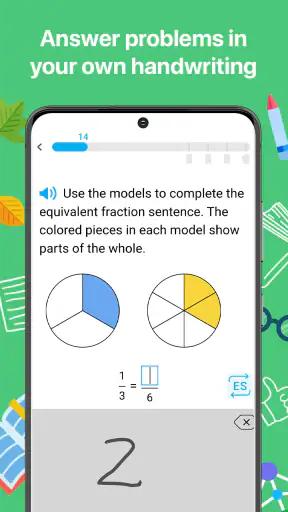
For younger learners, screen size and physical control matter more than adults sometimes expect. If tapping small choices becomes a source of mistakes, the child may appear to have a subject problem when the real issue is the device. I recommend testing one short session on the intended phone or tablet before building a daily routine around it.
Where it fits beside ordinary alternatives
Compared with worksheets, IXL offers a more responsive practice path. A printed page gives a learner a fixed set of questions, while this app is better suited to repeating a particular skill and adjusting the level of challenge. That makes it useful when a student needs targeted reinforcement rather than another broad assignment.
Compared with a textbook, IXL is more convenient for short sessions and easier to use when the goal is repeated answering. A textbook is often better for detailed explanations, examples, diagrams, and a complete sequence of ideas. If a learner asks, “Why does this work?” I would not automatically expect the app alone to answer that as thoroughly as a teacher or well-written chapter.
Compared with video-based learning, the balance is almost reversed. A video can introduce a concept in a memorable way, while IXL gives the learner a place to test whether the concept can be applied. I see the two approaches as complementary: explanation first when necessary, then targeted practice to expose gaps. Using only practice can make a confused student more frustrated; using only videos can create the illusion of understanding without enough active work.
Compared with a general homework-help app, IXL feels more structured and skill-specific. That is a benefit for organized practice, but a limitation for open-ended questions, projects, and assignments that require conversation or creativity. Students who want a tutor-like exchange may prefer a service built around live help or detailed worked solutions.
Three practical ways to get more from the app
First, I would use it as a diagnostic conversation starter, not merely as a score-producing machine. After a difficult session, ask the learner to show one question that felt confusing and describe the first step they tried. This often reveals whether the issue is vocabulary, calculation, reading comprehension, or a missing concept. The app supplies the practice context; the discussion supplies the interpretation.
Second, separate accuracy work from speed work. During the first attempts at a new skill, encourage the learner to write down steps and explain the answer aloud. Only after the method is clear should the student aim for smoother completion. This prevents a fast but fragile performance from being mistaken for mastery.
Third, use short subject rotations rather than one exhausting block. For example, a student might review a language skill, take a break, and later complete a focused math session. The advantage is not just comfort. Switching deliberately can make it easier to notice which errors belong to the subject and which are caused by fatigue. This approach is especially practical in a household where several learners share one device.
A fourth useful habit is to stop on a productive note. If the learner has finally understood a difficult pattern, continuing until frustration returns may weaken the memory of that success. IXL is easy to treat as an endless supply of questions, but more questions are not automatically better. A parent or teacher should decide when the practice has done its job.
Who should use IXL, and who should skip it?
I think IXL is a good match for students who benefit from clearly divided skills, repeated practice, and a routine that can fit into a busy day. It is particularly suitable when a parent wants a concrete way to focus on one area instead of assigning an entire subject without direction. Its K–12 coverage also makes it practical for families with children at different stages.
Teachers and tutors may appreciate it as a supplement when they already know what a learner needs to rehearse. The app is less likely to replace their role than to give students additional opportunities to apply a method between lessons. For independent older students, the main benefit is control: they can direct practice toward a topic they know needs attention.
I would be cautious about recommending it as the only resource for a child who needs patient, step-by-step teaching. Students who become anxious around repeated wrong answers may need more explanation, encouragement, or human feedback before practice becomes productive. It may also be a poor fit for learners who dislike structured drills and learn better through projects, conversation, experiments, or creative tasks.
Parents should also decide how much supervision is appropriate. A very young learner may not know whether a difficult skill is a worthwhile challenge or simply the wrong choice. An older student can usually make that decision more independently, but even then, occasional review of the work is valuable. The app can support responsibility without making the learner responsible for designing an entire curriculum alone.
My performance verdict
After considering speed, longer sessions, interruptions, and device comfort, I see IXL as a dependable practice companion rather than a complete digital school. Its strongest quality is focus: it gives learners a way to work on specific K–12 skills instead of drifting through unrelated content. The free price and Everyone age rating make it easy to try, while the established presence of IXL Learning gives it credibility as a serious education product.
Its main limitation is equally clear. Practice cannot replace explanation, and a responsive sequence of questions cannot guarantee that a student understands the idea behind an answer. The app is most effective when paired with a teacher, parent, textbook, lesson, or conversation that can interpret mistakes and fill in missing reasoning.
My recommendation is to download it if you want targeted academic practice, especially for short, repeatable study sessions. Start with one clearly chosen skill, use a comfortable screen, watch for repeated error patterns, and stop before fatigue turns practice into guessing. If you want a full tutor, a project-based course, or rich explanations for every concept, choose another resource alongside it. Used with those expectations, IXL is a practical and flexible addition to a student’s learning routine, and its performance feels adequate because it keeps the attention on the work rather than on unnecessary decoration.


